Split PDF File Online
Extract specific pages or separate every page into individual documents with instant client-side processing.
Select or Drop a PDF File Here
Free limit: up to 100 MB and 500 pages. Processed 100% locally in your browser.
document.pdf
Processing and extracting pages...
100% Client-Side • Running in your browser RAM
Your Split PDF is Ready!
Ready for download. No files were uploaded to any server.
Did DeskBlip save you time? Support our server-free project:
☕ Buy me a coffee ($3)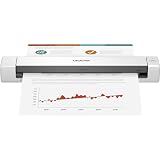
Brother Mobile Document Scanner (Color Duplex)
Scan receipts, contracts, and IDs directly to PDF anywhere with high-speed USB power.
How to Split PDF Files in 3 Simple Steps
Select Your PDF
Drag and drop your PDF or click browse. The file stays safely on your machine.
Choose Split Mode
Type custom page ranges (e.g. 1-3, 5) or choose to separate every page into single files.
Instant Download
Click Split PDF and download your clean PDF document or ZIP file instantly.
Why Split PDFs with DeskBlip?
Most online PDF splitters make you upload confidential documents (contracts, tax returns, personal identification) to unknown servers. DeskBlip is fundamentally different: every single byte is parsed and sliced inside your web browser. No uploads, no waiting queues, and zero risk to your privacy.
Frequently Asked Questions
How does DeskBlip split PDF files without uploading them? ▼
DeskBlip uses modern WebAssembly and JavaScript running 100% inside your web browser. Your document is processed entirely within your device RAM and is never sent across the internet, guaranteeing complete privacy and zero data leakage.
Can I extract non-consecutive pages (e.g. 1, 4, 7)? ▼
Yes! Simply choose "Extract Specific Pages" and enter the page numbers separated by commas (e.g. 1, 4, 7) or intervals (e.g. 1-3, 5, 8-10).
What is the difference between extracting ranges and splitting into individual pages? ▼
Extracting ranges creates a single new PDF document containing only your selected pages. Splitting into individual pages turns every single page into its own 1-page PDF file and packages all of them into a downloadable ZIP archive.
What are the file size and page limits? ▼
You can split PDF files up to 100 MB and up to 500 pages for free. These safety boundaries protect mobile devices and browser tabs from excessive memory consumption.