Merge PDF Files
Combine multiple PDF files into a single, perfectly structured document in seconds.
Select or Drop PDF Files Here
Free limit: up to 25 files (100 MB max). Processed 100% locally in your browser.
Merging your PDFs...
Your Merged PDF is Ready!
Did DeskBlip save you time? Support our server-free project:
☕ Buy me a coffee ($3)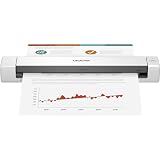
Brother Mobile Document Scanner (Color Duplex)
Scan receipts, contracts, and IDs directly to PDF anywhere with high-speed USB power.
How to Merge PDF Files in 3 Simple Steps
Select Your PDFs
Drag and drop two or more PDF files into the box above or click "Choose PDF Files".
Reorder Pages
Use the arrow buttons to position your documents in the exact order you want them combined.
Merge & Download
Click "Merge PDF Files Now" to compile instantly and download your unified document.
Frequently Asked Questions
Are my PDF files safe and private?
Yes, 100%. Unlike other websites, DeskBlip does not upload your files to any remote server or cloud storage. All PDF merging is computed directly in your web browser memory. Nobody else can ever access your files.
How many PDF files can I merge at once?
You can merge up to 25 PDF files (or 100 MB total) per batch for free. This safety limit ensures your browser runs smoothly without freezing or running out of memory.
Can I reorder the pages or files before merging?
Yes! After selecting your PDF documents, simply use the arrow buttons (▲ / ▼) to arrange the exact sequence you want them to appear in the unified file.
Does DeskBlip work on iPhone, iPad, and Android?
Yes, DeskBlip is completely responsive and runs inside any modern mobile web browser (Chrome, Safari, Firefox, Edge) without requiring app installations.