Free QR Code Generator
Create static, permanent QR codes with custom colors and instant vector SVG or high-res PNG export.
📷 Scan with your smartphone camera to test
Did DeskBlip save you time? Support our server-free project:
☕ Buy me a coffee ($3)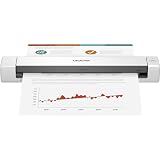
Brother Mobile Document Scanner (Color Duplex)
Scan receipts, contracts, and IDs directly to PDF anywhere with high-speed USB power.
How to Create a Custom QR Code in Seconds
Choose Data Type
Select between a website link, instant Wi-Fi access, WhatsApp direct chat, or plain text.
Customize Colors
Match your brand palette by picking custom foreground and background colors in real time.
Export High-Res
Download your code as crisp 1024px PNG for screens or infinitely scalable SVG for professional printing.
Frequently Asked Questions
Do generated QR codes ever expire? ▼
No! The QR codes generated by DeskBlip are 100% static and permanent. The text, link, or Wi-Fi data is encoded directly into the pattern pixels, meaning they will work forever with no monthly fees, expiration dates, or scan limits.
Can I use these QR codes for commercial projects (menus, business cards)? ▼
Yes, absolutely. The generated QR codes belong entirely to you with zero restrictions. You can print them on restaurant menus, product labels, marketing flyers, packaging, and business cards.
Why should I download SVG vs. PNG format? ▼
PNG is ideal for digital screens, websites, emails, and social media. SVG is an infinitely scalable vector format, which means you can blow it up to billboard size or print high-dpi physical merchandise without any blurriness or pixelation.
How does the Wi-Fi QR code work? ▼
When you select Wi-Fi, DeskBlip embeds your network name and password in the universal Wi-Fi QR standard. When guests aim their smartphone camera at the code, iOS and Android automatically show a "Join Network" button without needing to type the password.